Create a workspace
- Go to https://chatmamba.com/messagings
- Create a workspace by entering your business name
Connect your phone number to WhatsApp Business Account (WABA)
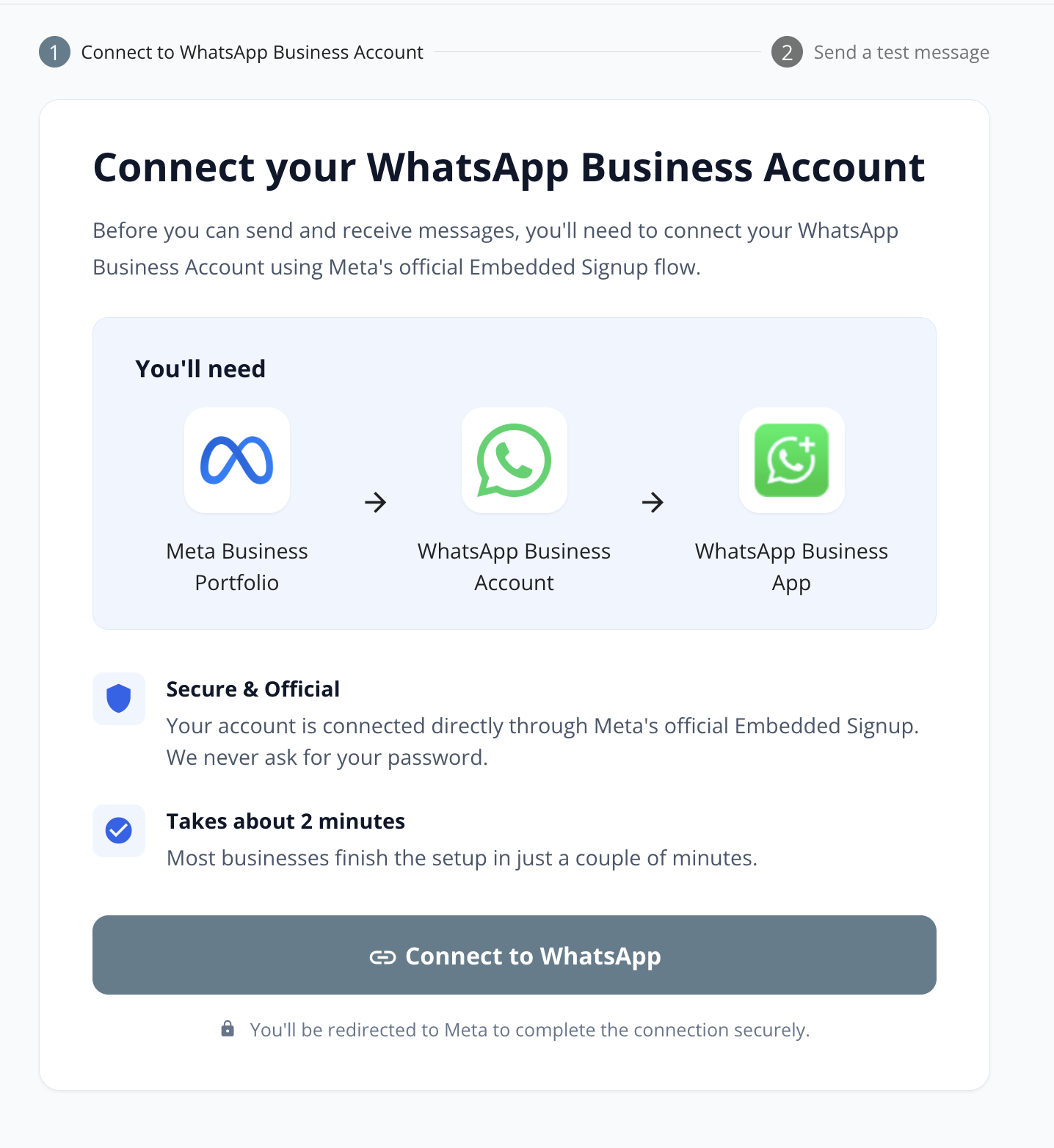
Before you can connect, you must have the following:
- Meta Business Portfolio - If you do not have one yet, you will need to create in later step.
- A phone number with WA Business account OR without any WhatsApp (or WA Business) account - If your phone number is currently registered on WhatsApp, you can either:
- Migrate to WA Business, or
- Delete WhatsApp account, or
- Use another phone number
- A credit / debit card to be added as your WABA payment method
Onboarding for WA Business app account (Coexistence)
- Click Connect to WhatsApp
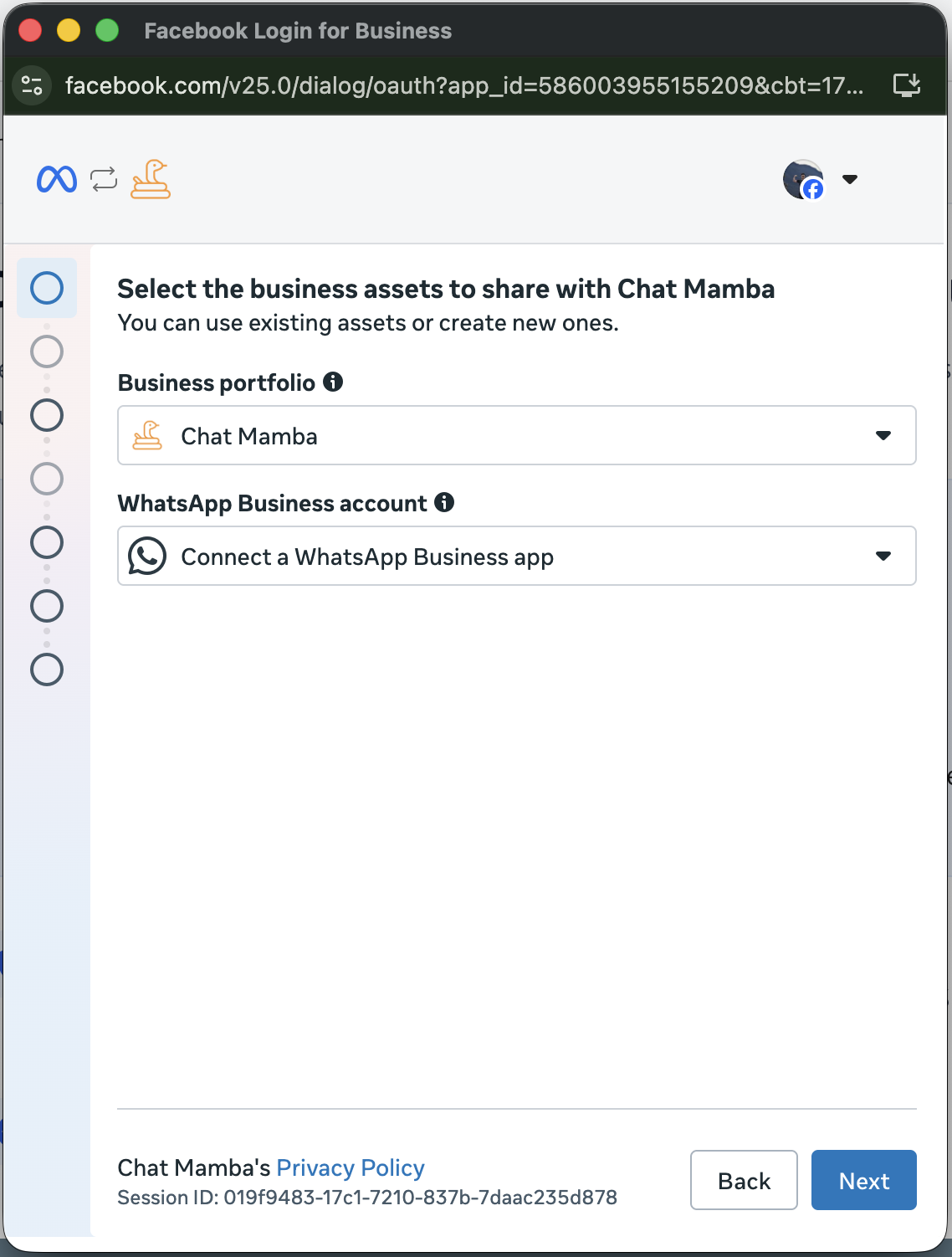
- Select (or create) your Business Portfolio to create a WABA
- Select Connect a WhatsApp Business app
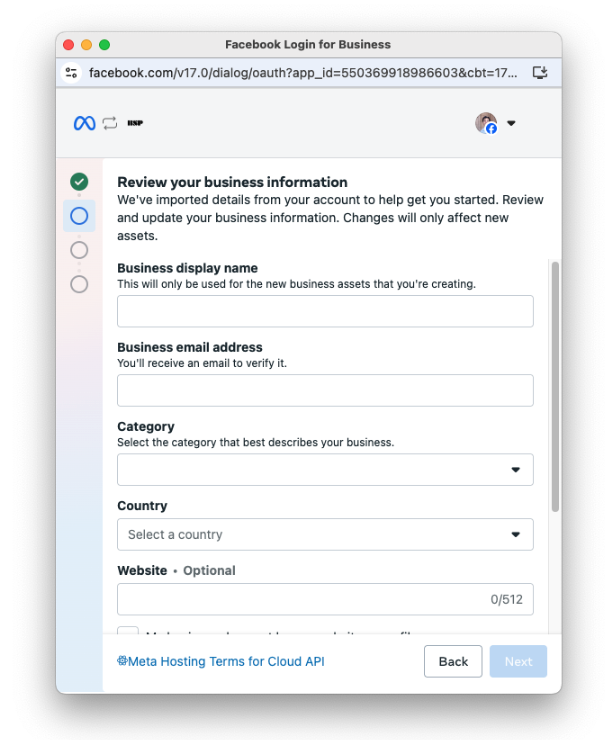
- You may be asked to enter your business details to create a WhatsApp Business Account (WABA). You may use your Facebook page link as the website if you do not have one.
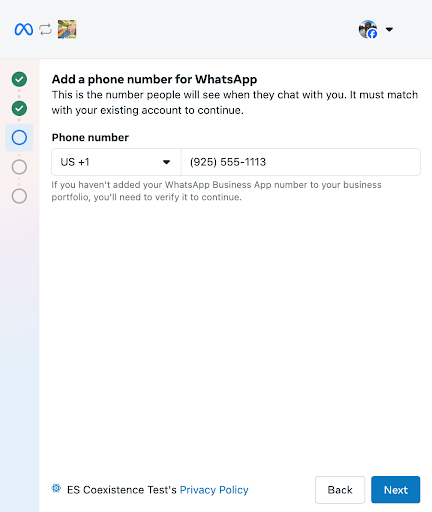
- Enter your WA Business account phone number
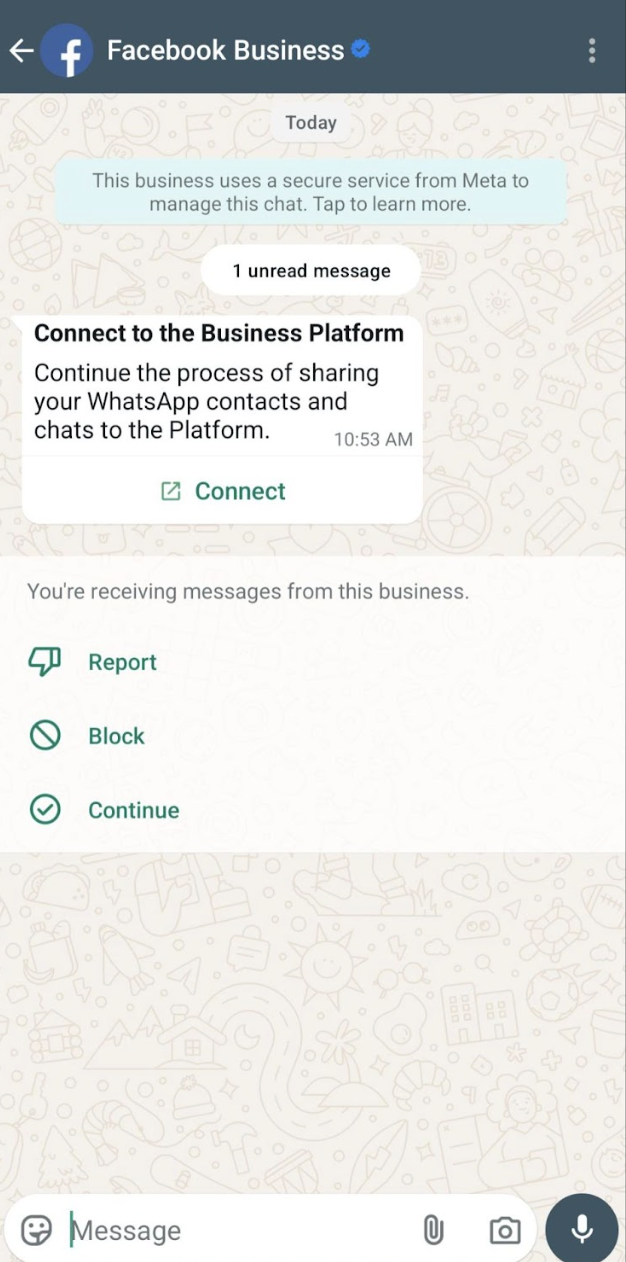
- You will receive a WhatsApp message from Facebook. Click Connect
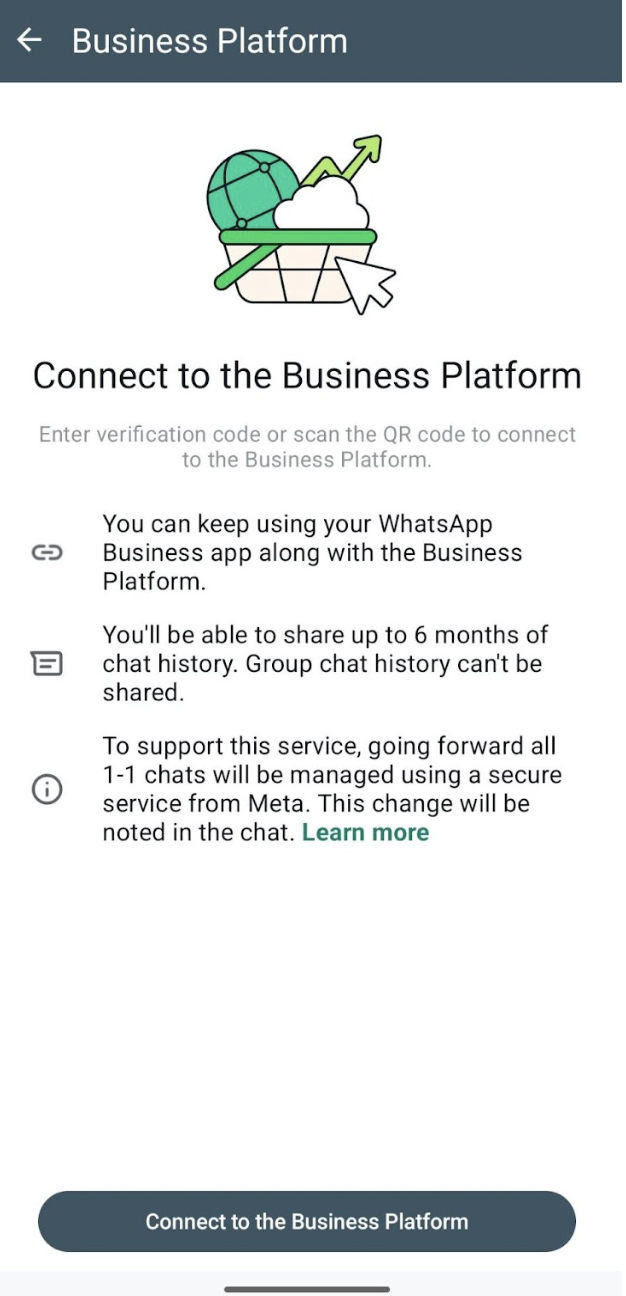
- Click Connect to the Business Platform to continue the onboarding process
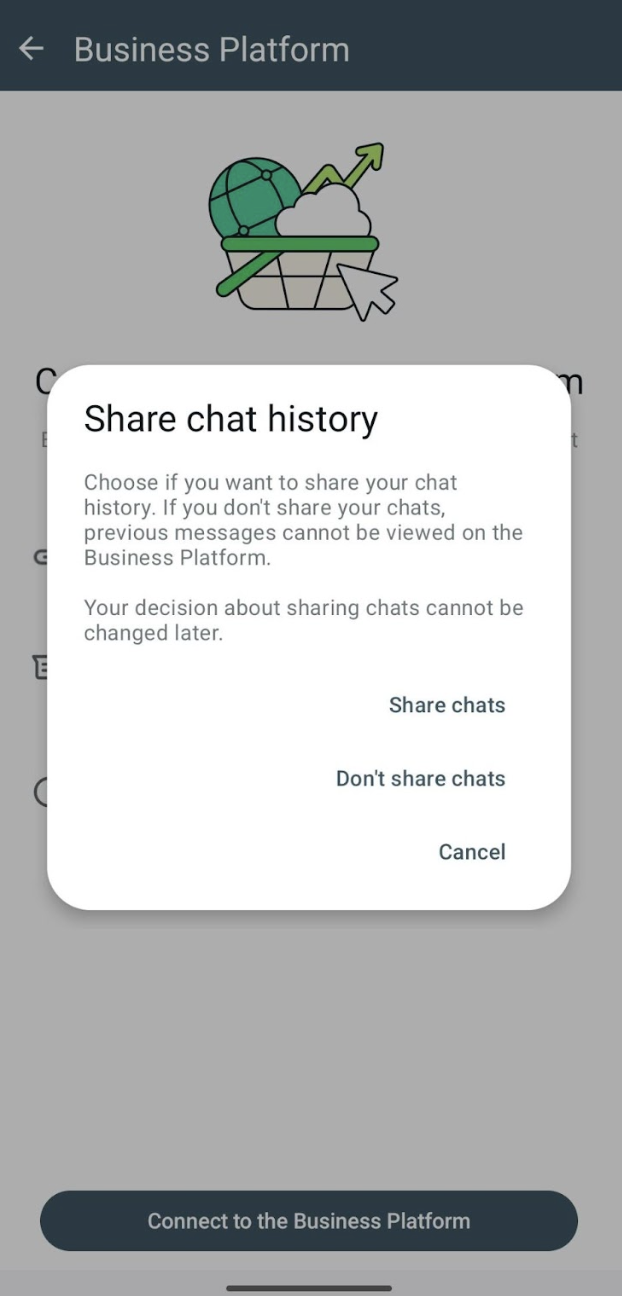
- Click Don’t share chats as ChatMamba currently only store your chat after onboarding
- Scan the QR code
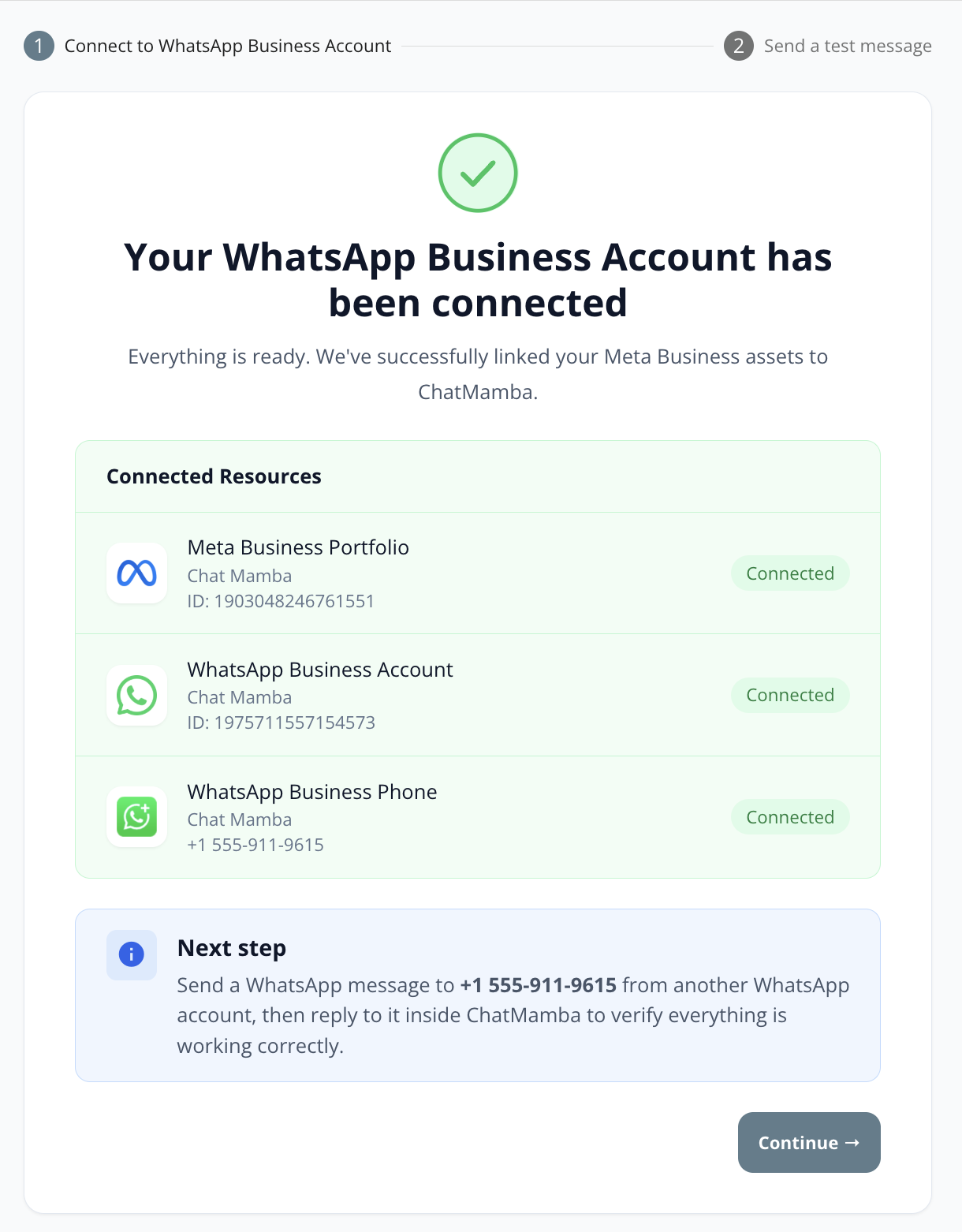
Wait for the onboarding to complete. You will see a success screen with your asset information on the screen. Click Continue to test your connection.
Sending a test message
You can send a test message from ChatMamba to verify that your onboarding is successful.
- Send a WhatsApp message to the phone number you have just connected using another WhatsApp account. This opens up a 24 hours customer service window.
- You should see that message appear on the screen.
- Reply to the message through the website.
- Verify that you are able to receive that message in your other WhatsApp account